From sign-up to daily use — step by step.
Set up your profile and work hours, check in when your shift starts, then follow habits and health breaks through to your end-of-day report.
What you see when you open the app
The same three screens shown during onboarding — plan your day, track habits, and get meeting reminders.
Plan your day
Put work, habits, and meetings on one timeline instead of three apps.
Build better habits
Track water, walks, eye rest, and gym — with reminders tied to your shift.
Never miss a meeting
Get nudges before meetings and when a health break is due.
Set up in three steps
Sign up, add your profile, pick a work style, and set your hours. Then you land on the home screen.
Your profile
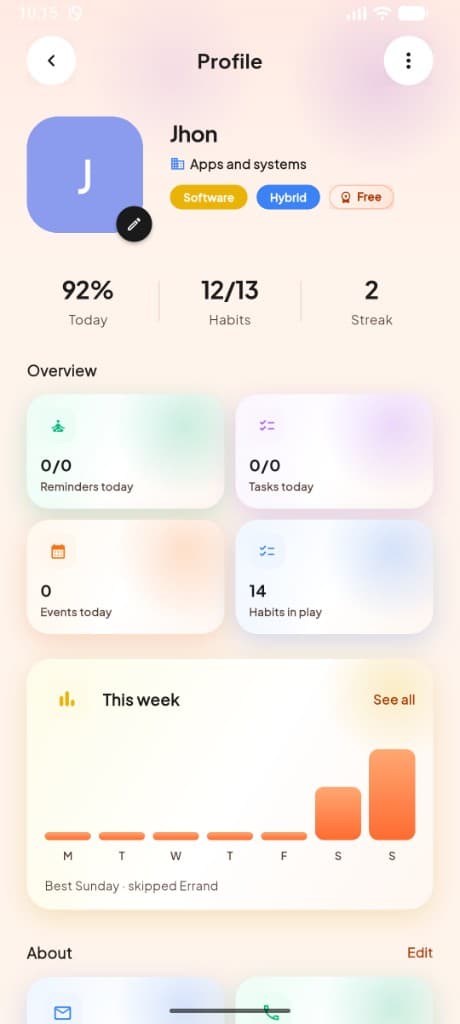
Tell us who you are so MeRhythm AI can personalize your experience.
- ✓Add your full name and profile photo
- ✓Enter your phone number and timezone
- ✓Select your profession to tailor suggestions
- ✓See today's progress, habits, and streak at a glance
Work style
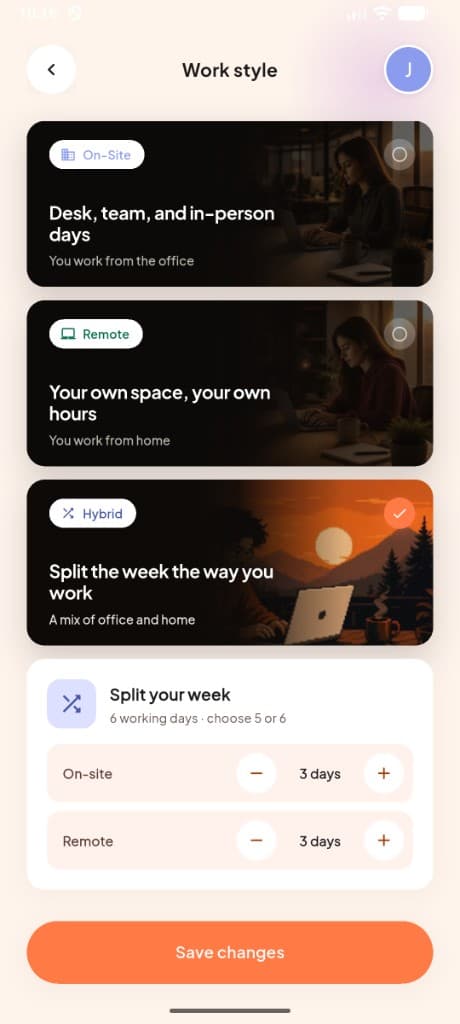
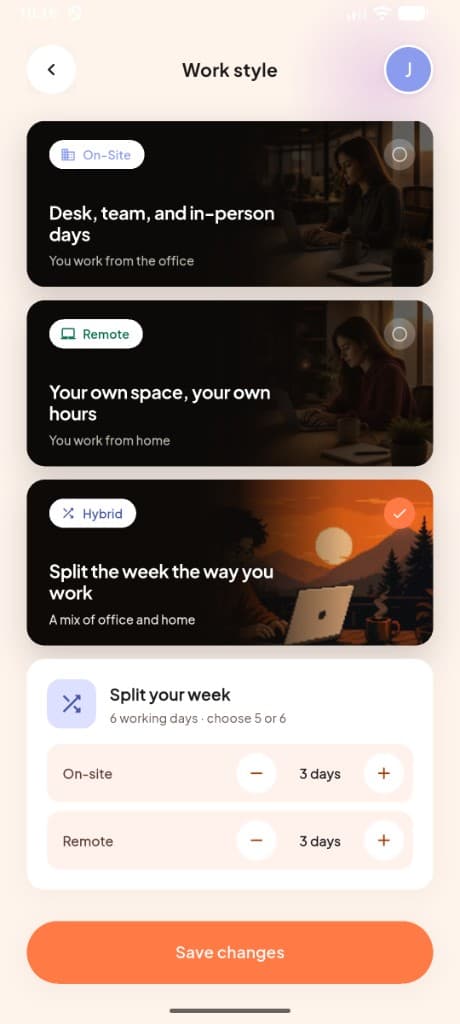
How do you work? This helps us build the right schedule for you.
- ✓On-Site — desk, team, and in-person days
- ✓Remote — your own space, your own hours
- ✓Hybrid — split the week between office and home
- ✓For hybrid, set how many days you work on-site vs remote
Working hours
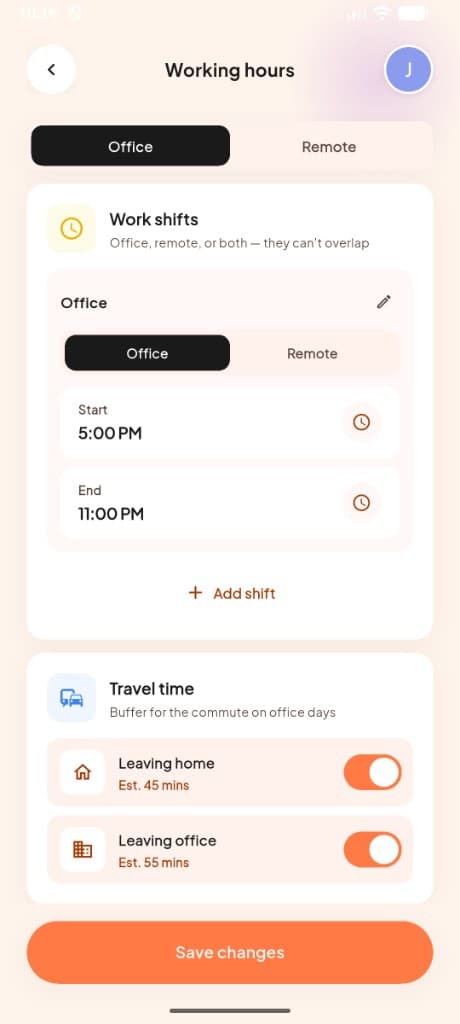
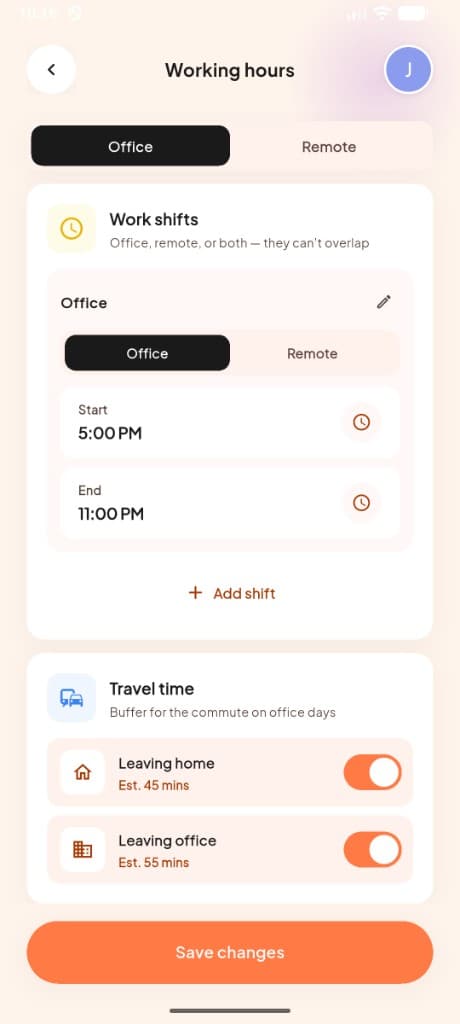
We'll plan your day around these shifts.
- ✓Set office and remote work shifts — they can't overlap
- ✓Choose your break time and working days
- ✓Optionally add Walk (a midday stretch) and Gym (after work) to your routine
How your day flows in the app
Once setup is done, MeRhythm AI runs alongside your workday — from check-in to shift report.
Check in for the day
Start your workday from the home screen — office, remote, or off-day.
- Check in when your shift starts
- Health reminders begin after check-in
- On leave or day off? The app adapts automatically
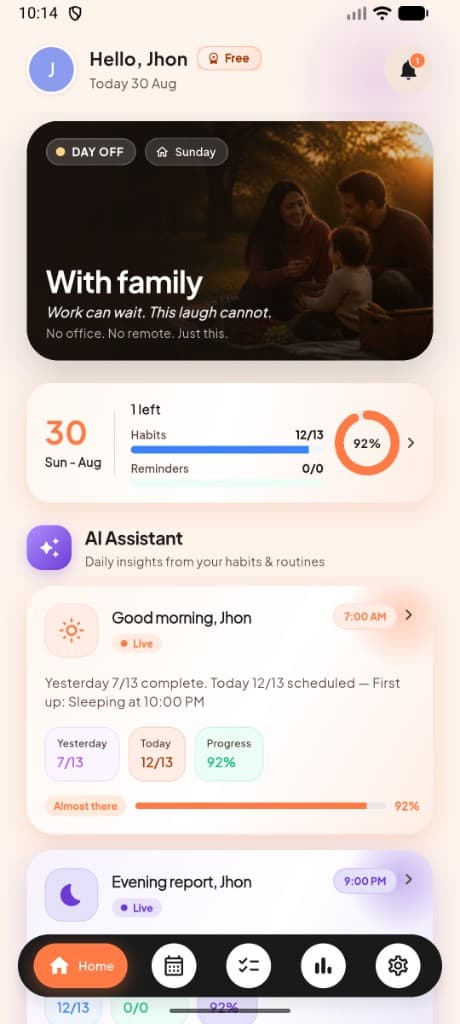
- See habits, reminders, and overall progress on one screen
See your day at a glance
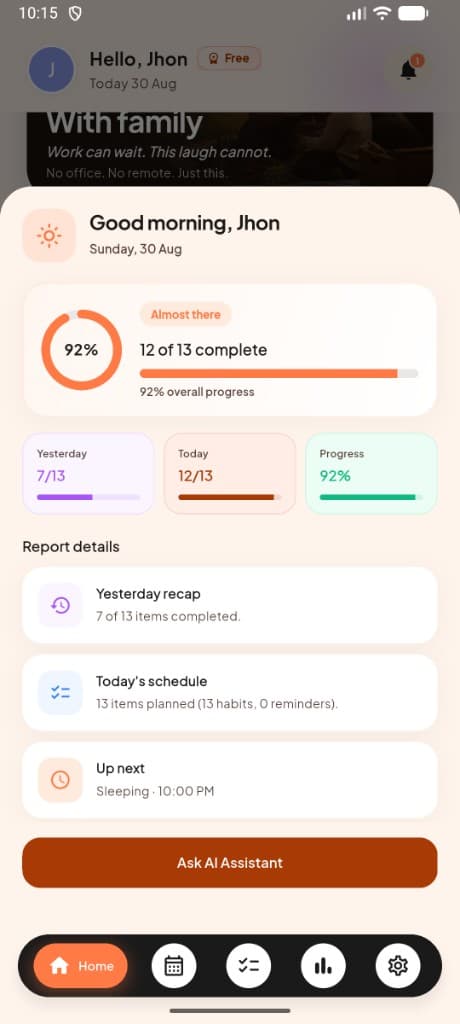
Your home dashboard shows today's progress, active habit, and what's coming up.
- Contextual hero cards for work, family, or day off
- AI morning and evening insights with live progress
- Yesterday recap, today's schedule, and up-next items
- Week day selector to preview other days
Track habits and sessions
Mark habits done, skip when needed, or launch guided live sessions.
- Swipe to complete or skip from the habits list
- Running, cycling, focus, study, yoga, sleep, and mood sessions
- Live sessions with timers and continue buttons
- View streaks and per-habit history in Stats
Stay healthy at work
Health breaks appear on your timeline, tuned to your work hours.
- Eye rest (20-20-20), walking, water, and movement reminders
- Choose Easy, Balanced, Active, or Custom rhythm
- Snooze or skip any break from the home screen
- Send a test notification to preview breaks on your device
Review your shift
At the end of the day, open your shift report for a full summary.
- Daily completion ring with yesterday vs today comparison
- Yesterday recap and today's schedule breakdown
- Up next item and one-tap access to AI Assistant
- How your workday went overall
Walk through the main screens
Schedule, habits, stats, AI assistant, settings, and Premium — what each one does.
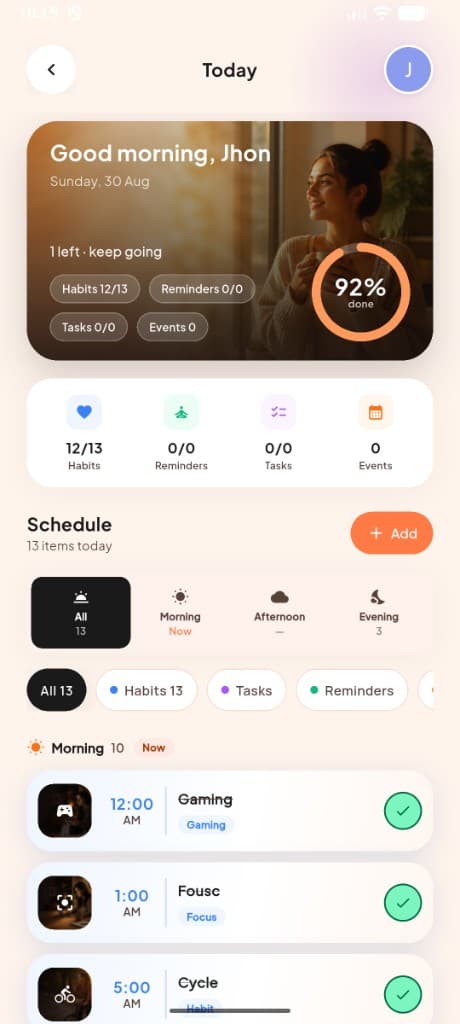
Plan every hour of your day
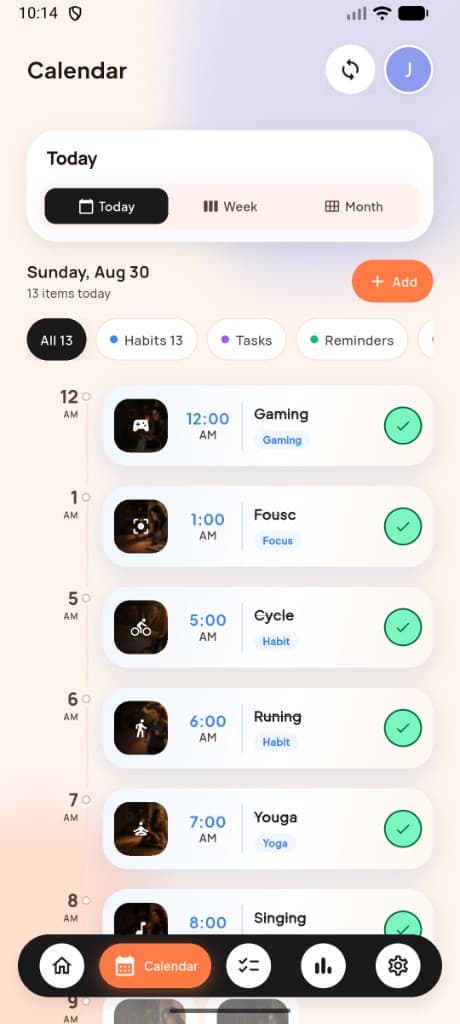
The Today screen combines your progress summary with a full timeline — habits, tasks, reminders, and events in one scrollable schedule.
- ✓Hero card with habits, reminders, tasks, and events at a glance
- ✓Filter by morning, afternoon, or evening
- ✓Category chips for habits, tasks, and reminders
- ✓Add new items with one tap
Switch between today, week, and month
Browse your routine on a timeline or jump to any date on the month grid — blue dots show days with scheduled items.
- ✓Today timeline with time markers and completion checkmarks
- ✓Month view with activity dots on busy days
- ✓Filter by habits, tasks, or reminders
- ✓Tap any day to see what's planned
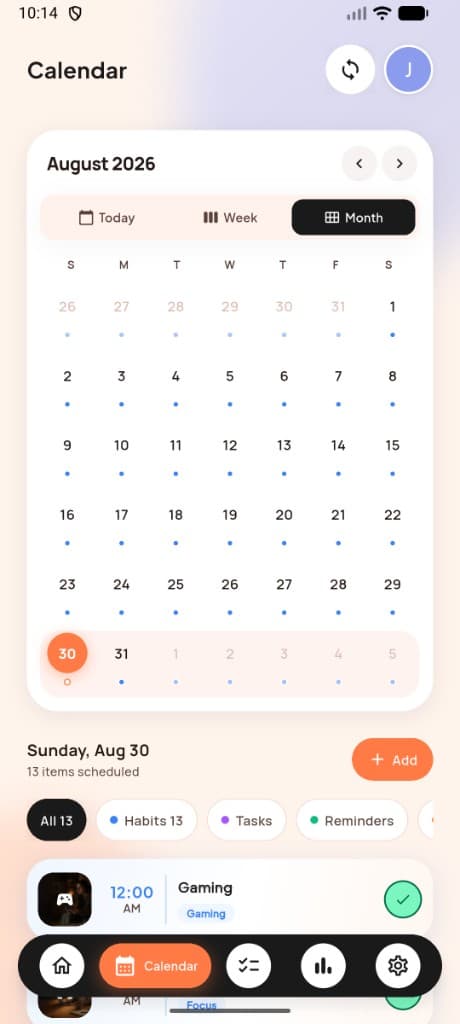
See the full month at once
The month grid makes it easy to spot busy days, plan ahead, and open any date's schedule without leaving the calendar.
- ✓Navigate months with arrow controls
- ✓Selected date highlighted in orange
- ✓Scheduled items listed below the grid
- ✓Quick-add button for new habits or tasks
Recent habit sessions
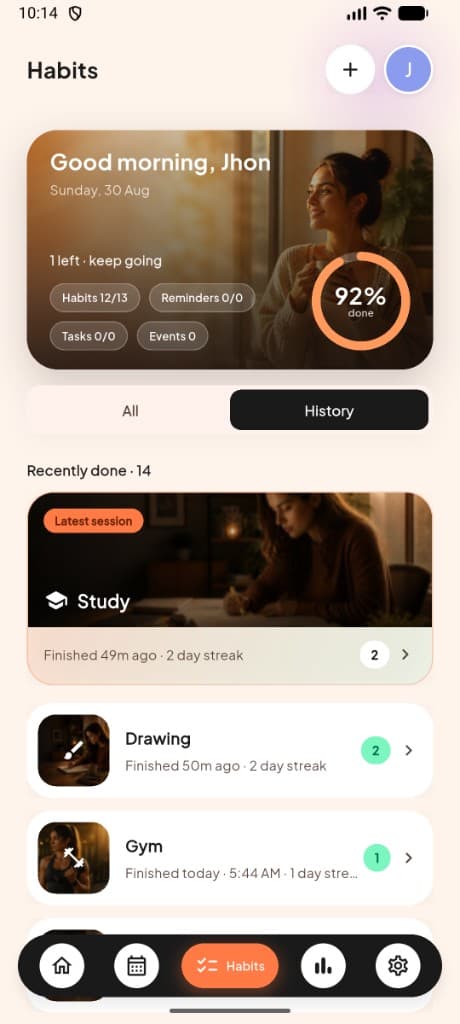
Open History to see completed runs, study sessions, and gym workouts — with streaks on each habit.
- ✓Featured card for your most recent session
- ✓Streak count on every completed habit
- ✓Study, gym, drawing, and more with session photos
- ✓Toggle between All habits and History anytime
Chat with the habit assistant
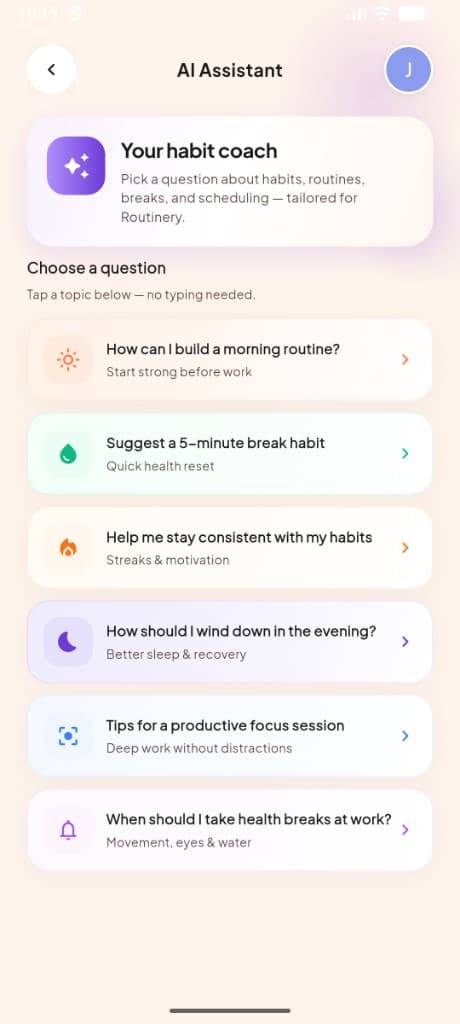
Tap a prompt about routines, breaks, or focus — no typing required unless you want to.
- ✓Morning and evening routine suggestions
- ✓5-minute break habit ideas
- ✓Tips for staying consistent and building streaks
- ✓Focus session and health break guidance
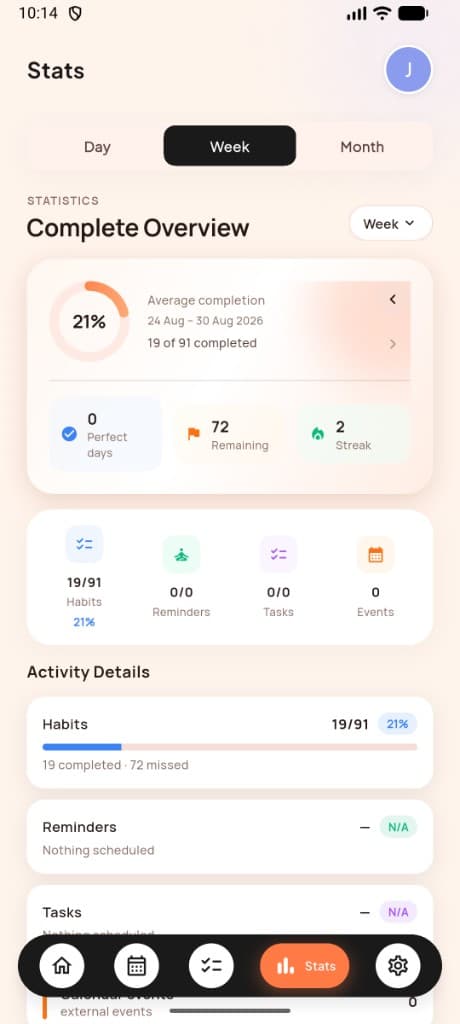
Track progress by day, week, or month
See completion rates, perfect days, remaining items, and streaks — broken down by habits, reminders, tasks, and events.
- ✓Completion ring with date range navigation
- ✓Perfect days, remaining items, and streak counters
- ✓Category breakdown for habits, reminders, tasks, and events
- ✓Activity details with progress bars per category
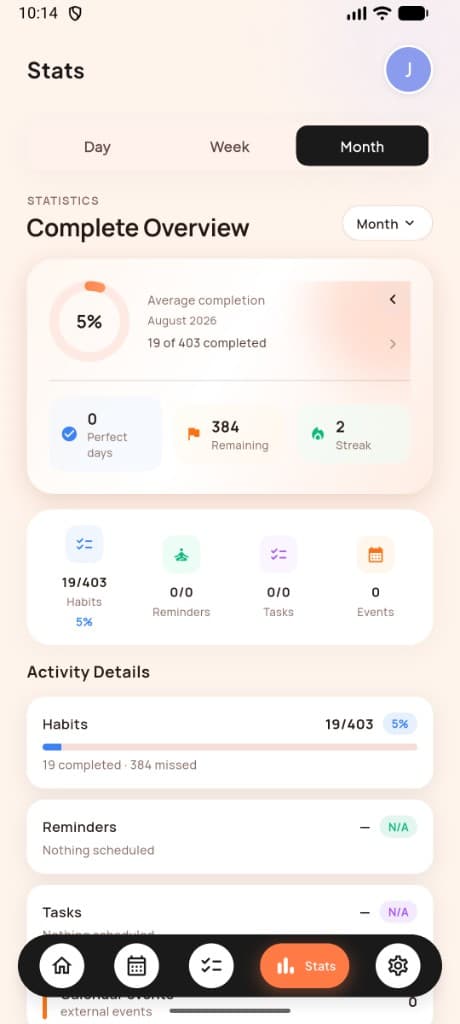
Zoom out to monthly trends
The month view shows how consistently you've kept up across hundreds of scheduled items over the full month.
- ✓Average completion percentage for the month
- ✓19 of 403 completed with remaining count
- ✓Compare habits vs reminders vs tasks at a glance
- ✓Switch between Day, Week, and Month tabs
Settings and account
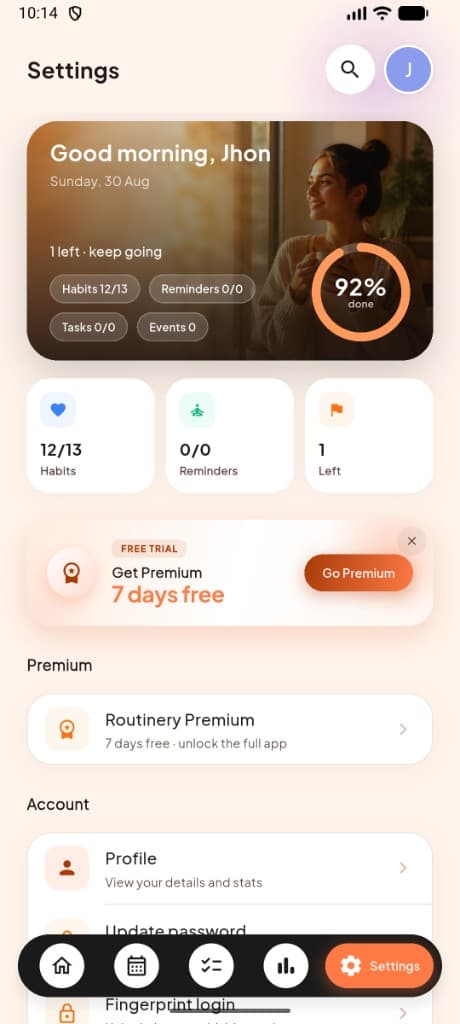
Update your profile, turn on Premium, manage notifications, and control health reminders from one screen.
- ✓Dashboard card with today's completion ring
- ✓Premium trial banner and upgrade path
- ✓Profile, password, and biometric login
- ✓Health reminders and notification controls
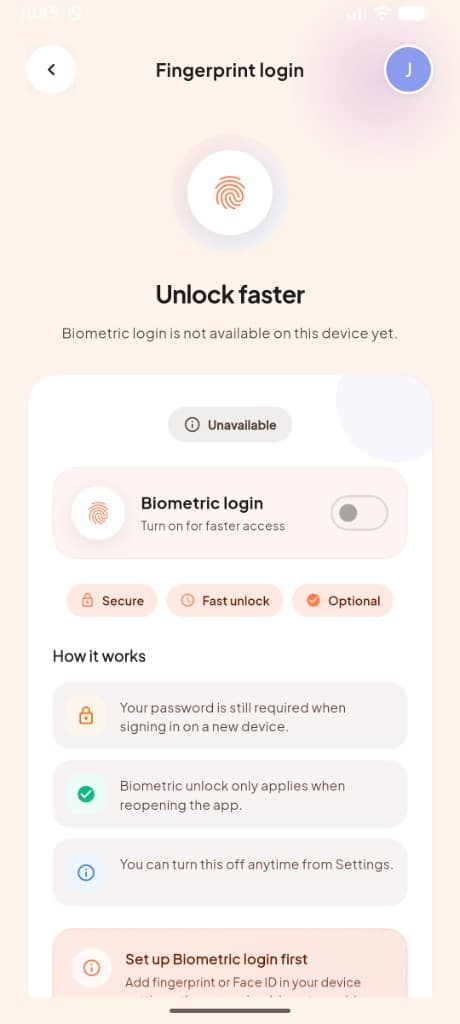
Sign in with biometrics
Turn on fingerprint or Face ID for quick access when reopening the app — your password is still required on new devices.
- ✓Optional biometric unlock on return visits
- ✓Password still required on first sign-in
- ✓Turn off anytime from Settings
- ✓Secure, fast, and completely optional
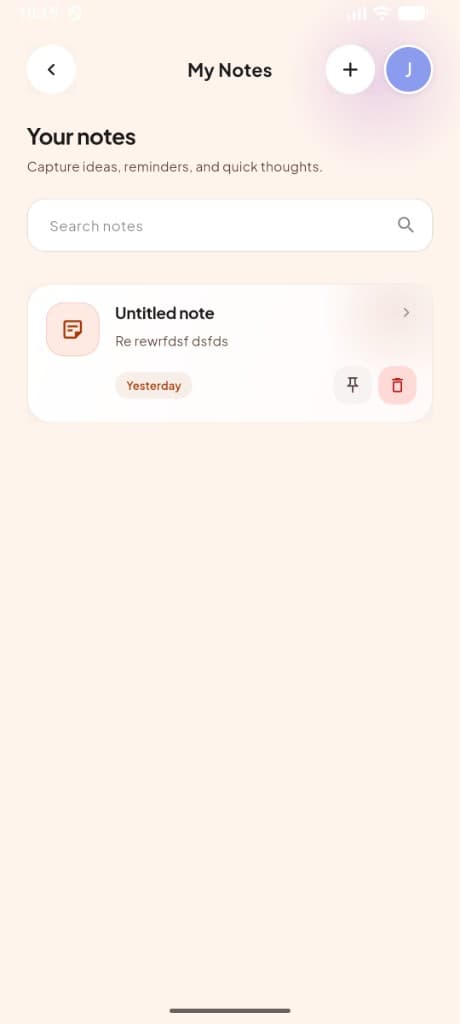
Capture ideas on the fly
Jot down quick thoughts, reminders, or ideas without leaving your routine — search, pin, and organize notes anytime.
- ✓Create notes with one tap
- ✓Search across all saved notes
- ✓Pin important notes to the top
- ✓Yesterday, today, and date tags for easy browsing
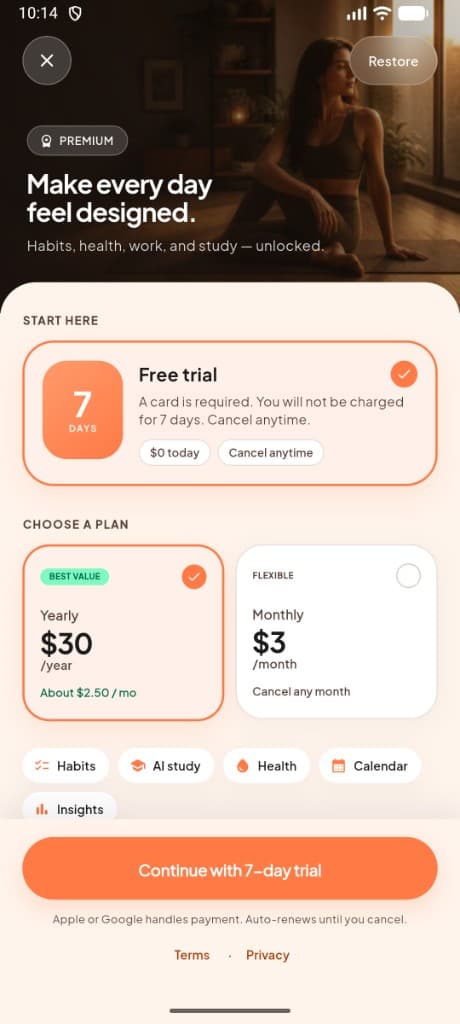
Premium free trial
Start with 7 days free, then pick yearly or monthly — habits, AI study, health breaks, calendar sync, and insights included.
- ✓7-day free trial — $0 today, cancel anytime
- ✓Yearly plan at $30/year (best value)
- ✓Monthly plan at $3/month (flexible)
- ✓Apple or Google handles payment securely
On-site, remote, or hybrid
Choose on-site, remote, or hybrid during setup. MeRhythm AI adjusts reminders, health breaks, and your schedule to match.
On-Site
You work from the office
Desk, team, and in-person days
Remote
You work from home
Your own space, your own hours
Hybrid
A mix of office and home
Split the week the way you work
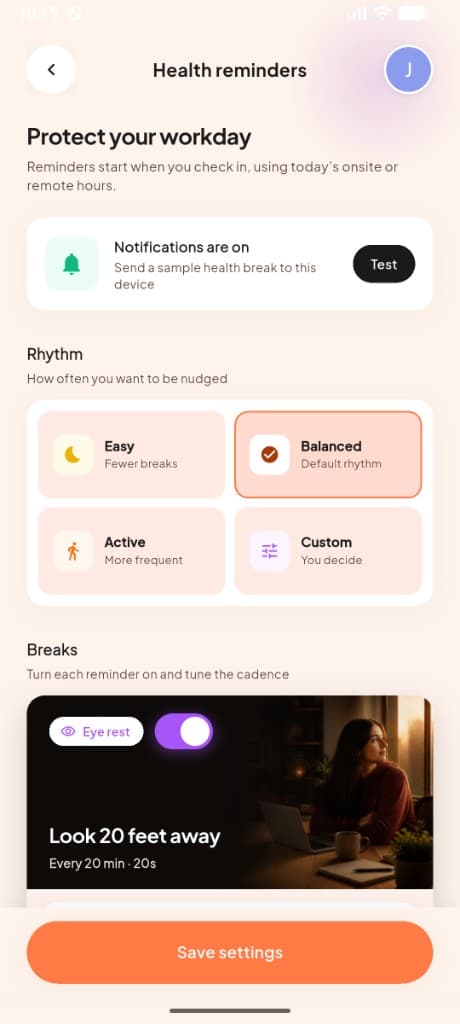
Health reminders follow your check-in
Reminders start when you check in, using today's on-site or remote hours. Configure eye rest, walking, water, movement, and work-finished nudges from Settings → Health reminders.
- Easy, Balanced, Active, or Custom rhythm
- Eye rest, walking, water, and movement breaks
- Test notifications before you save
Download and try it on your schedule
7-day free trial, then $3/month or $30/year inside the app.